What makes a great LinkedIn headshot (a guide to share with your clients)
Framing, expression, background and crop for LinkedIn profile photos, including the circle crop that cuts off most headshots, and how photographers can shoot for it.

Most corporate headshots end up in one place first: a LinkedIn profile. And LinkedIn shows them as a small circle. A photo that looks great as a full frame can look cramped, off-center or oddly cropped in that circle. Here's how to shoot and choose for it, and a guide your sitters will find useful.
The circle crop
LinkedIn displays profile photos as a circle, often very small: next to comments, in search results and in messages. That means:
- The face should fill most of the circle. Head and the top of the shoulders, with a little space above the head.
- Center the face. Off-center compositions that work in a rectangle can push the face to the edge of the circle.
- Watch the corners. Anything in the corners of the frame disappears.
When you shoot, leave enough room around the head and shoulders so the photo can be cropped as a tight circle, a square and a wider banner without cutting off the top of the head. When sitters choose, show them the circle crop as well as the full frame. People pick differently when they see how it will actually appear.
Expression
- A real, relaxed smile beats a forced grin. Ask a question, tell a bad joke, let them laugh, then shoot as the laugh settles.
- Eyes engaged. A slight squint (lower lids up a touch) reads as confident.
- Chin slightly forward and down. It defines the jawline and avoids a double chin.
Background
- Clean and simple: plain grey, white, a soft brand color, or an out-of-focus office.
- Contrast with the outfit and hair so the person stands out at small sizes.
- Consistent across a team, so the company page looks coordinated.
Size and quality
Deliver a high-resolution file and a square crop. LinkedIn recommends a profile photo of at least a few hundred pixels square and compresses it heavily, so start from a sharp, well-exposed file. For the banner image, offer a wider crop if you shot with room around the person.
What to tell sitters
- Use a photo that looks like you today.
- Your face should take up most of the circle.
- Plain background, good light, a natural smile.
- Update it when your look changes significantly.
How ShootPick shows the crops
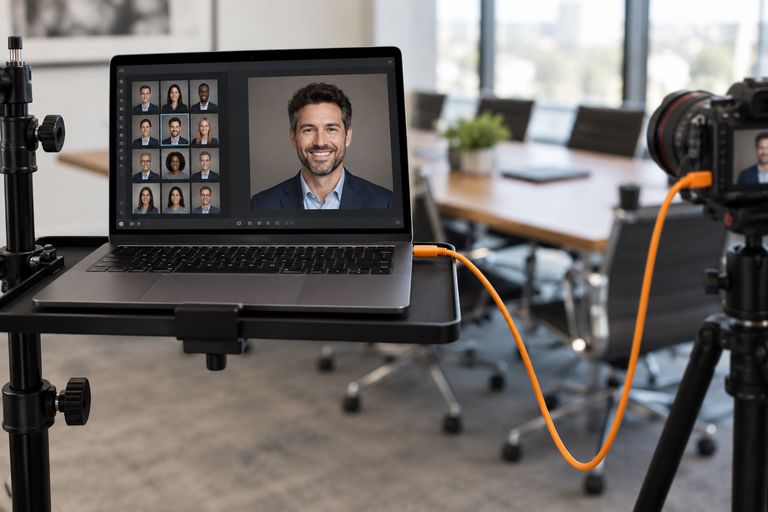
In ShootPick's pick screen, sitters see each frame full size alongside a LinkedIn circle crop and a head-and-shoulders crop, synced and zoomable. They choose with the real use in mind, and you deliver fewer "can you crop it differently?" follow-ups.
FAQ
How should a LinkedIn headshot be framed?
Head and the top of the shoulders, centered, with the face filling most of the frame and a little space above the head, because LinkedIn shows it as a small circle.
What background is best for a LinkedIn photo?
A plain, uncluttered background that contrasts with your clothes and hair: grey, white, a soft color or a blurred office.
Should I smile in my LinkedIn headshot?
A natural, relaxed smile usually comes across as more approachable and trustworthy than a neutral expression.